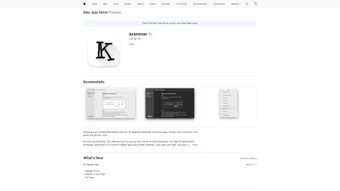

Download Krammar – AI Grammar Correction for MacOS
Overview
Krammar is a sleek, MacOS‑only application that brings AI‑driven grammar correction directly to your desktop. Designed for students, writers, marketers, and any professional who needs polished English text, Krammar eliminates the hassle of copying and pasting into web‑based tools. With a single keyboard shortcut, the app analyses the selected passage, fixes spelling mistakes, punctuation errors, and complex grammatical issues, then returns a clean version instantly.
The interface is intentionally distraction‑free: a minimal window, dark‑mode support, and no ads or pop‑ups, allowing you to stay focused on the content you’re creating. Privacy is a core promise—Krammar processes text locally and never sends data to external servers, ensuring that confidential drafts, research papers, or business communications stay secure. Regular updates are delivered through the Mac App Store, bringing UI refinements, faster AI models, and bug fixes without requiring manual intervention.
While the tool currently supports only English, its deep learning engine is continuously trained on a broad corpus of academic, journalistic, and creative writing, resulting in suggestions that respect style, tone, and context. In short, Krammar transforms the often‑tedious proofreading step into a quick, reliable, and private experience that fits seamlessly into any Mac‑centric workflow.
Key Features
- Instant AI Grammar Check: Real‑time correction triggered by a customizable keyboard shortcut.
- Local Processing: All analysis runs on your Mac, guaranteeing zero data transmission.
- Distraction‑Free UI: Minimalist window that blends with macOS aesthetics, supporting Light and Dark modes.
- Context‑Aware Suggestions: The AI distinguishes between formal, casual, and technical tones.
- Seamless Integration: Works with any Mac application—Pages, Word, Google Docs (via browser), email clients, and code editors.
- Custom Shortcut Configuration: Users can set their preferred key combination for maximum efficiency.
- Automatic Updates: Updates are delivered via the App Store, keeping the engine current without manual steps.
- Multi‑Language UI (Future‑Ready): While English is the only supported language today, the framework is built to add other languages in later releases.
Installation, Usage & Compatibility
How to Install Krammar
Downloading Krammar is straightforward. Visit the Mac App Store, search for “Krammar – AI Grammar Correction,” and click the Get button. The app is free to download and use, with optional in‑app purchases for advanced style guides. Once installed, launch the app from the Applications folder. During the first run, macOS will ask for permission to control your keyboard shortcuts; granting this access allows Krammar to listen for the trigger phrase you set (default: ⌘ ⇧ K).
Using the Keyboard Shortcut
After installation, select any text in your favorite editor, press the shortcut, and watch Krammar process the passage. Within a second or two, a pop‑up window appears with the corrected version. You can accept the changes with a single click or copy them back into your original document. The app also offers a “Preview Mode” where you can compare the original and corrected text side‑by‑side, which is handy for learning and refining your own writing habits.
System Requirements
Krammar runs on macOS 11 (Big Sur) and later, including macOS Monterey, Ventura, and Sonoma. It requires a minimum of 2 GB RAM and 200 MB of free disk space. The AI engine is optimized for Apple Silicon (M1, M2) but also works smoothly on Intel‑based Macs.
Performance Tips
For the fastest response, keep the app updated and avoid running heavy CPU‑intensive tasks concurrently. Krammar’s local processing means no internet latency, but large documents (over 10,000 words) may take a few extra seconds to analyze. If you experience any slowdown, consider splitting the text into smaller sections or disabling background apps that compete for CPU resources.
Pros, Cons, Frequently Asked Questions & Final Verdict
Pros
- Lightning‑fast, on‑device grammar correction.
- Zero data collection—perfect for confidential work.
- Simple, distraction‑free UI that integrates with any Mac app.
- Customizable shortcut for a seamless workflow.
- Free to use with optional premium style packs.
Cons
- Limited to English grammar; no multilingual support yet.
- Exclusively for macOS—no Windows, Linux, Android, or iOS versions.
- Advanced style recommendations (e.g., APA, Chicago) require paid add‑ons.
- Large documents may experience slight latency.
FAQ
Does Krammar store any of my text?
No. All processing happens locally on your Mac. Krammar never uploads or saves your content to external servers.
Can I use Krammar with web‑based editors like Google Docs?
Yes. Because Krammar works via a system‑wide keyboard shortcut, you can select text in any browser window, invoke the shortcut, and paste the corrected version back into Google Docs.
Is there a paid version with more features?
The core grammar engine is free. Premium add‑ons, such as industry‑specific style guides and advanced readability metrics, are available as one‑time in‑app purchases.
How often does Krammar receive updates?
Updates are released roughly every 4‑6 weeks, delivering AI model improvements, UI tweaks, and bug fixes through the Mac App Store.
Will Krammar work on older Macs running macOS Catalina?
The minimum supported version is macOS 11 (Big Sur). Macs limited to Catalina (10.15) cannot install Krammar.
Conclusion & Call to Action
Overall, Krammar fills a niche that many Mac users have long awaited: a fast, secure, and completely offline grammar assistant that blends into the native workflow. Its AI engine provides reliable corrections without the privacy concerns of cloud‑based services, making it ideal for students drafting essays, professionals polishing reports, or anyone who values clean, error‑free English. While the lack of multilingual support and Windows compatibility may limit its appeal to a broader audience, the focused excellence on macOS ensures that every feature feels native and performant. If you spend a significant amount of time writing on a Mac and want a hassle‑free way to boost your language quality, Krammar is definitely worth a try. Download it today from the Mac App Store, set your preferred shortcut, and experience the convenience of instant, private grammar correction.



.png)



